#1 AWS IAM Fundamentals Lab: User & Group Management with Managed Policies
Overview
This lab demonstrates core AWS Identity and Access Management (IAM) concepts: user, group, and role management; managed policy application; least-privilege enforcement; temporary credentials via STS; MFA enforcement; and trust modeling for internal and external auditors. It simulates a small team environment with Developers, Administrators, and Auditors.
Goal / Why
- Understand how to organize IAM users and groups
- Enforce least privilege by using managed policies
- Verify access via AWS Console and CLI
- Apply real-world security practices for both internal and external auditors
Scenario / Context
| Team | Access Needs |
|---|---|
| Developers | S3 read/write, EC2 management |
| Administrators | Full administrative access |
| Auditors (Internal) | Read-only monitoring and compliance |
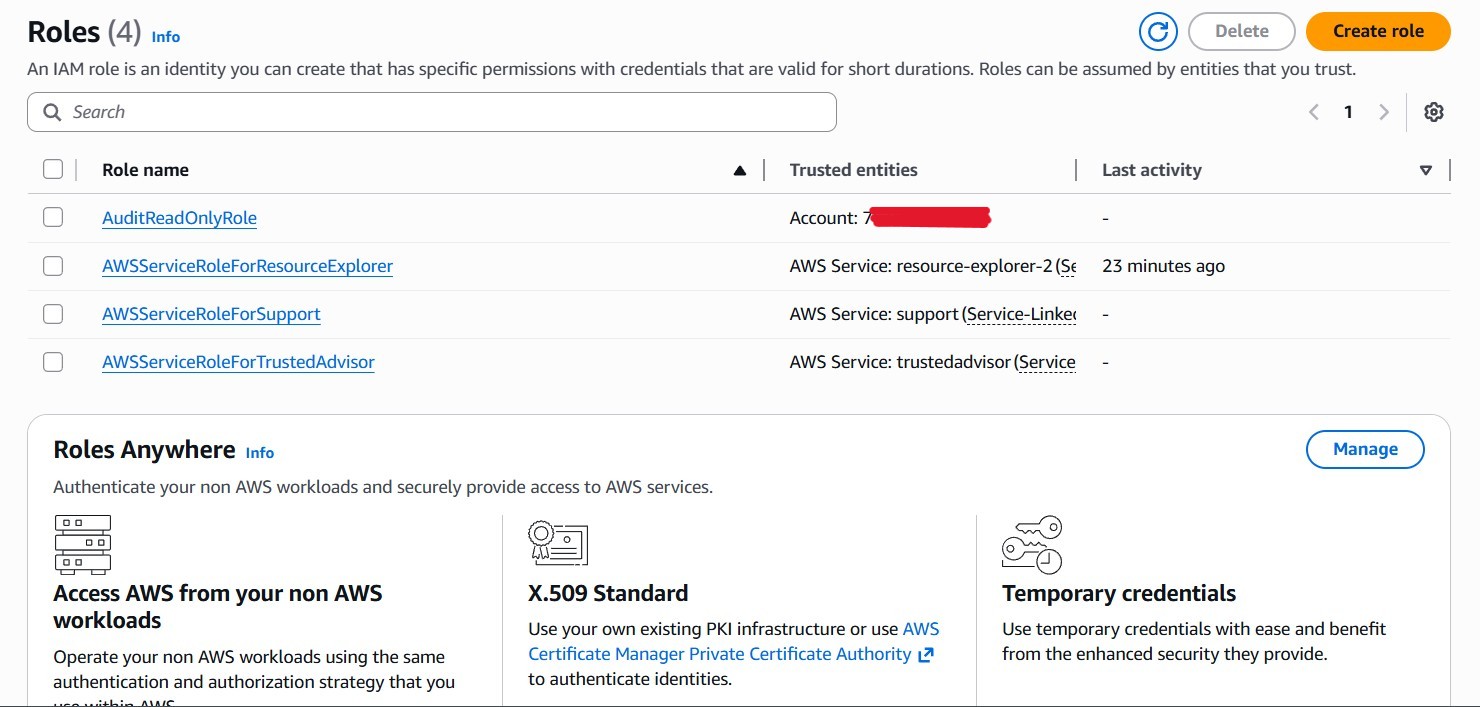
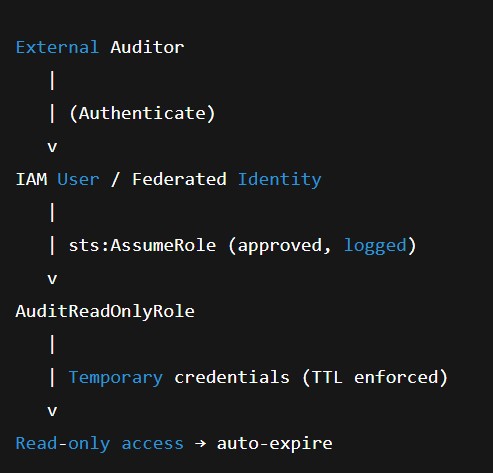
| Auditors (External) | Temporary, role-based read-only access via STS |
Steps Taken
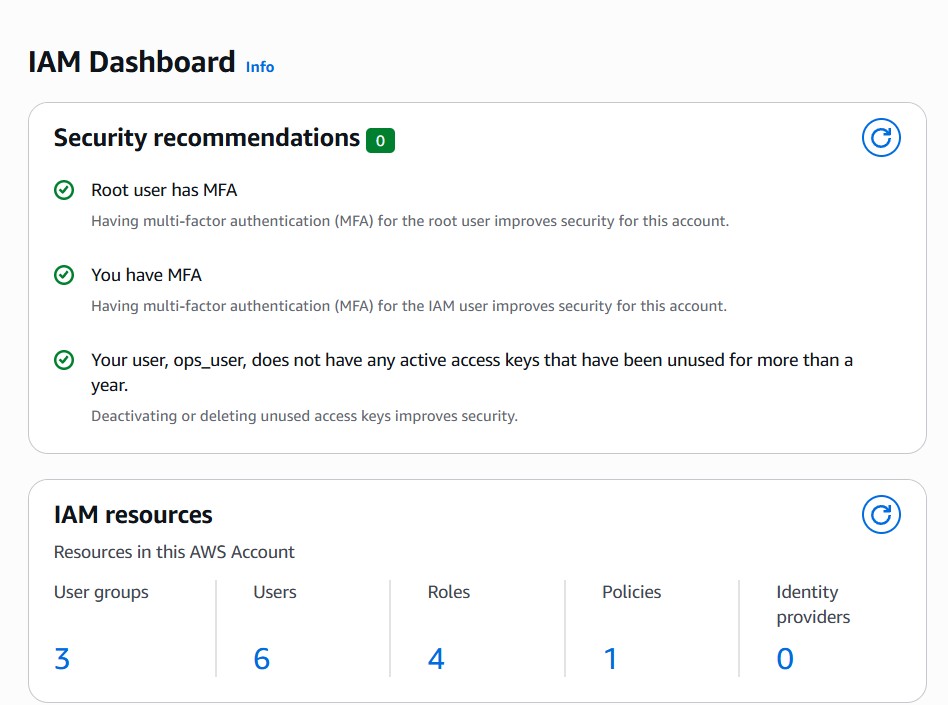
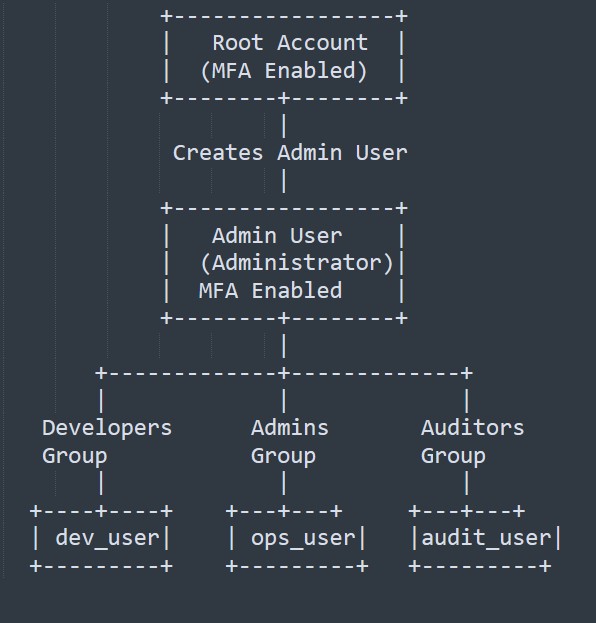
- Root Account Security
Enabled MFA, stored recovery info securely, restricted root to emergencies. - Create Admin IAM User
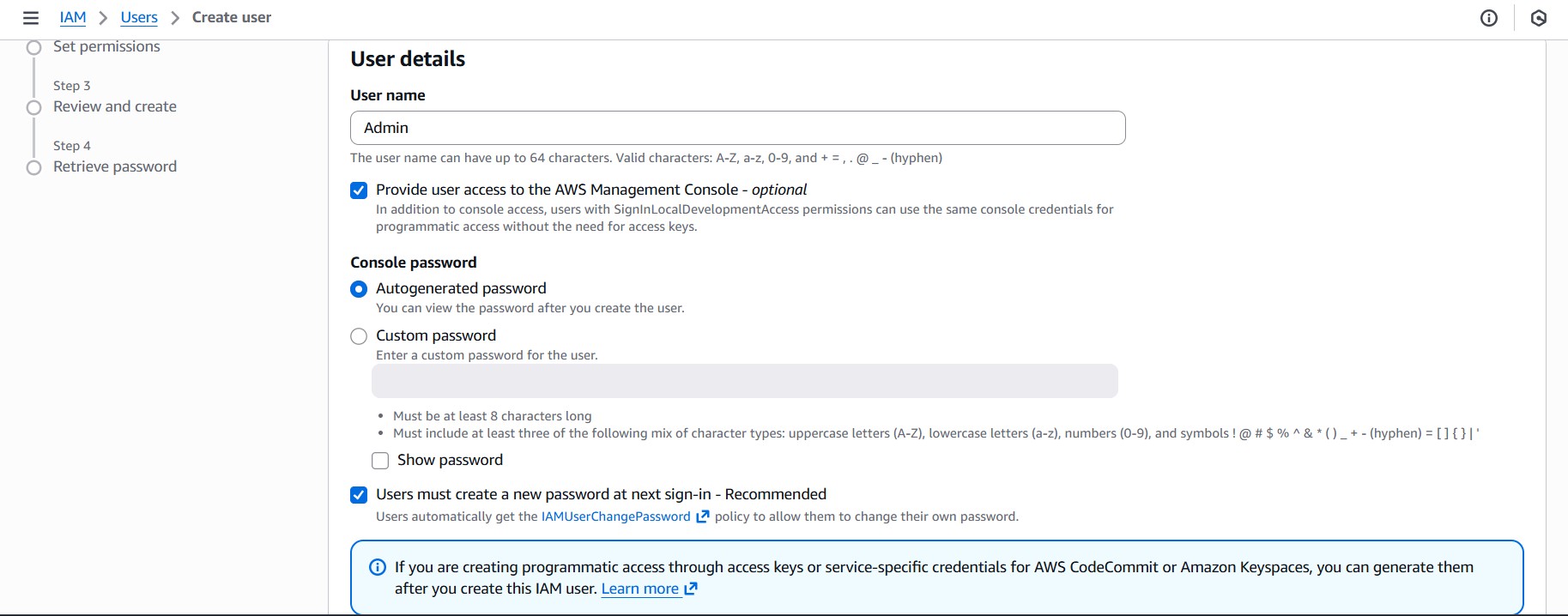
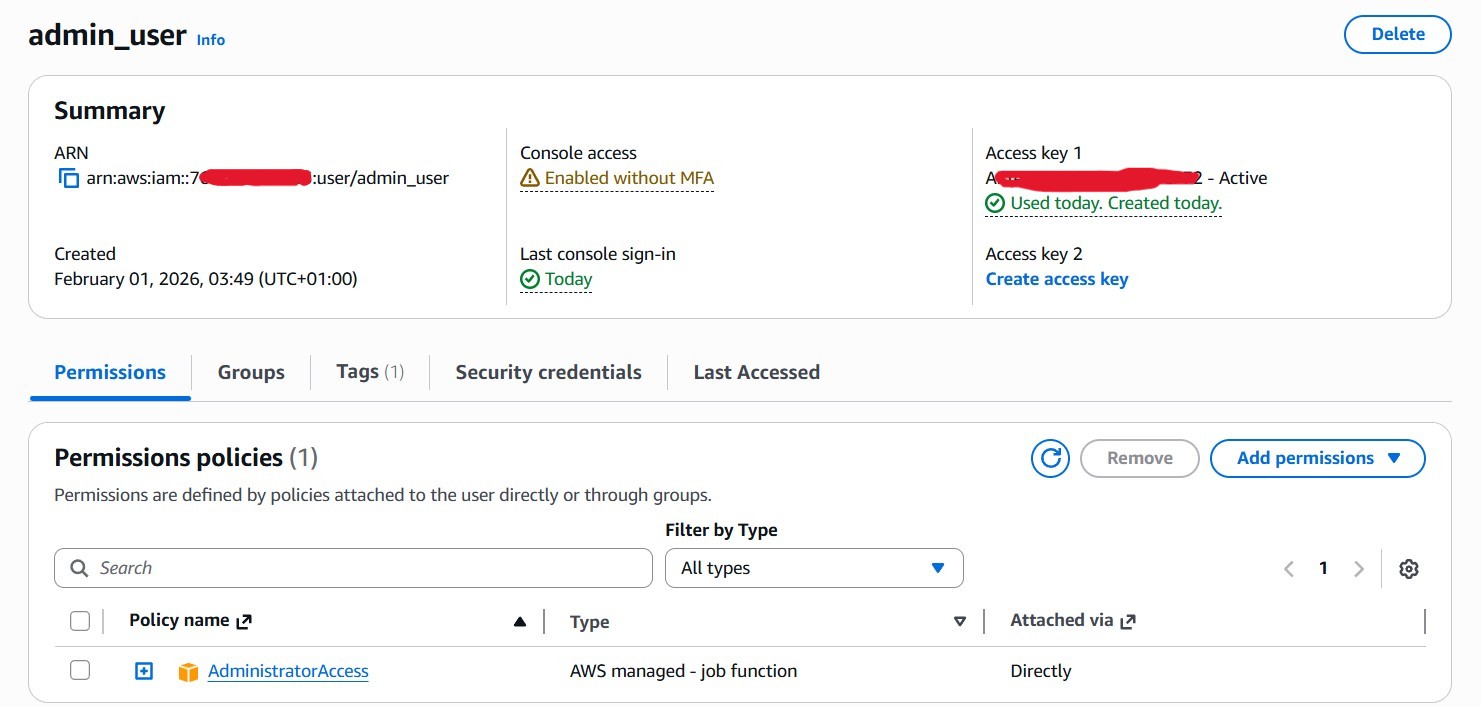
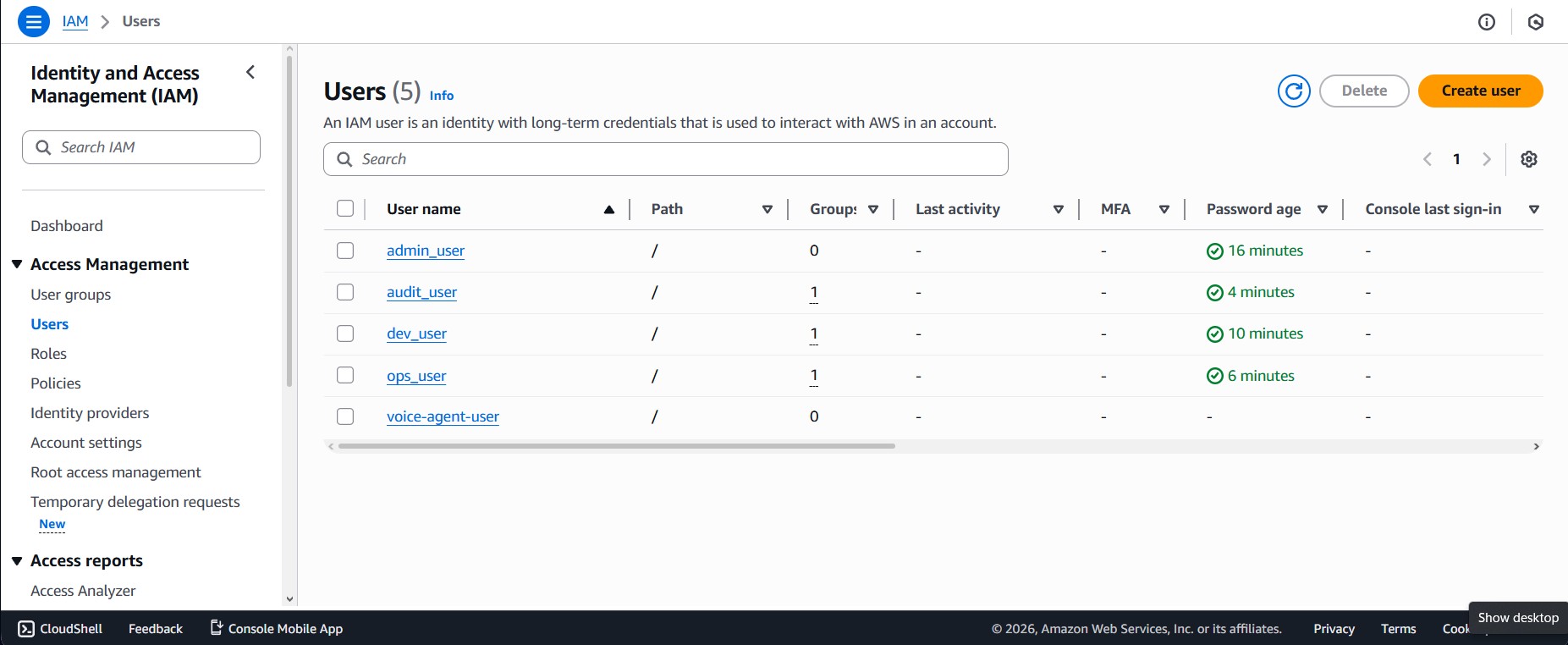
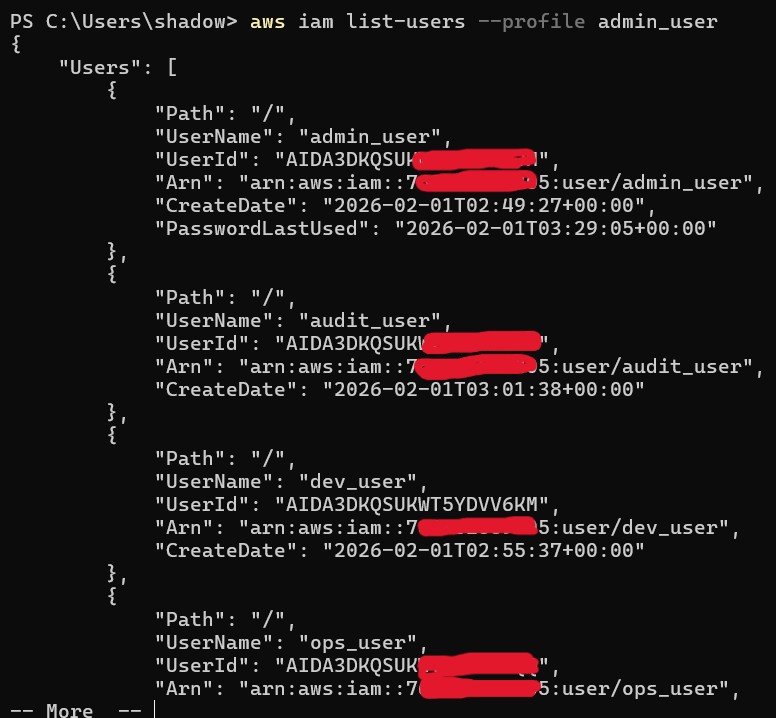
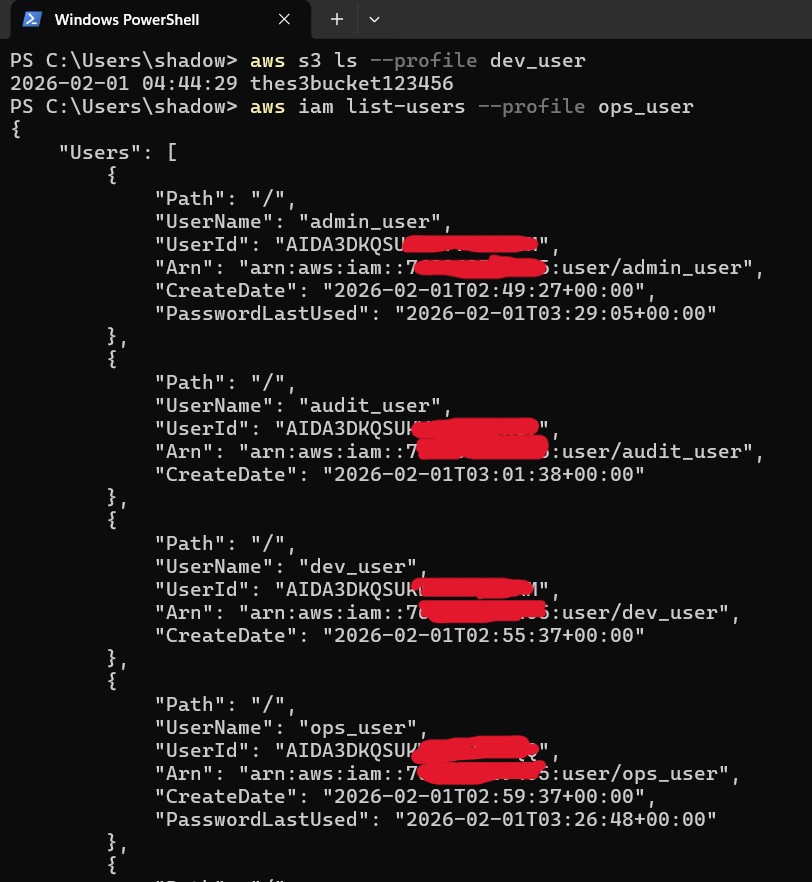
User: admin_user with full admin policy for lab. - Create IAM Users
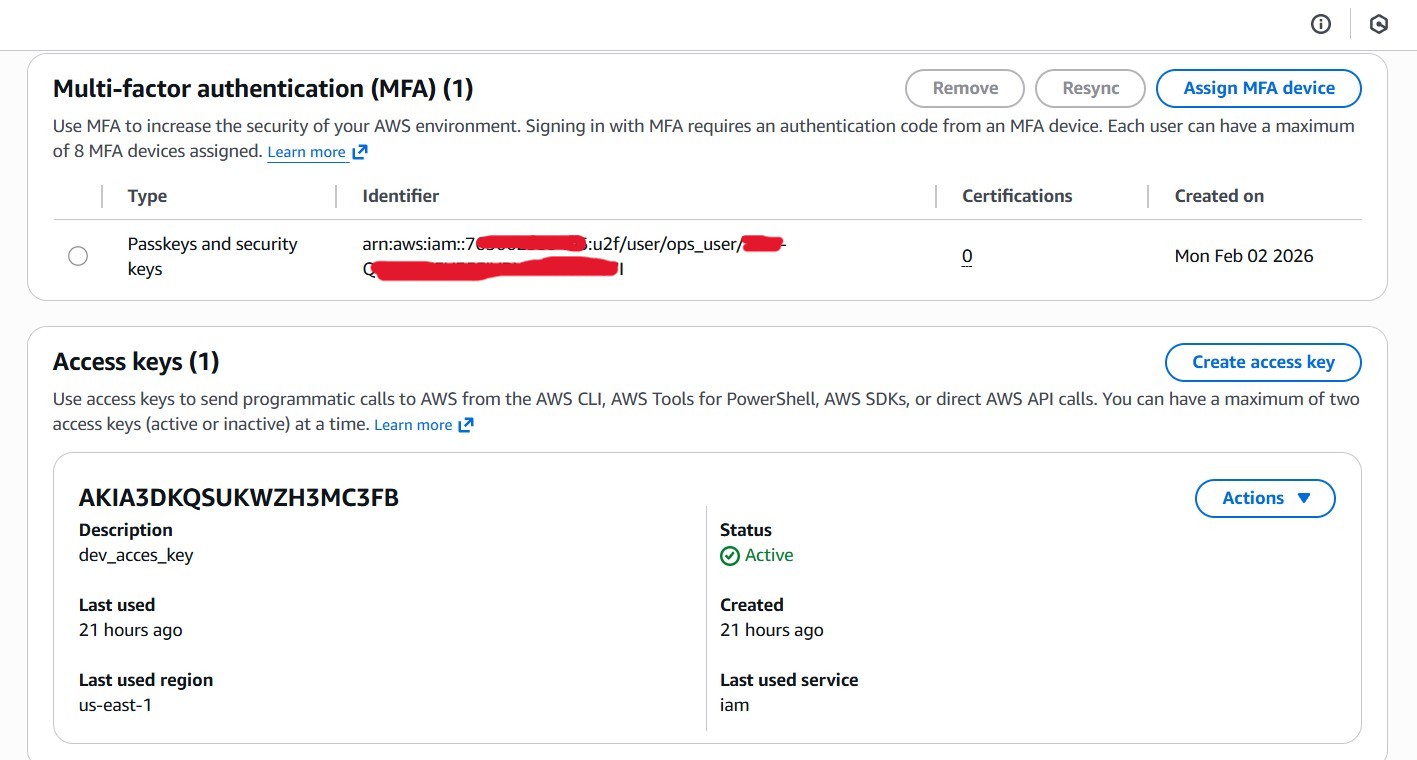
dev_user, ops_user, audit_user with console access. - Create IAM Groups & Policies
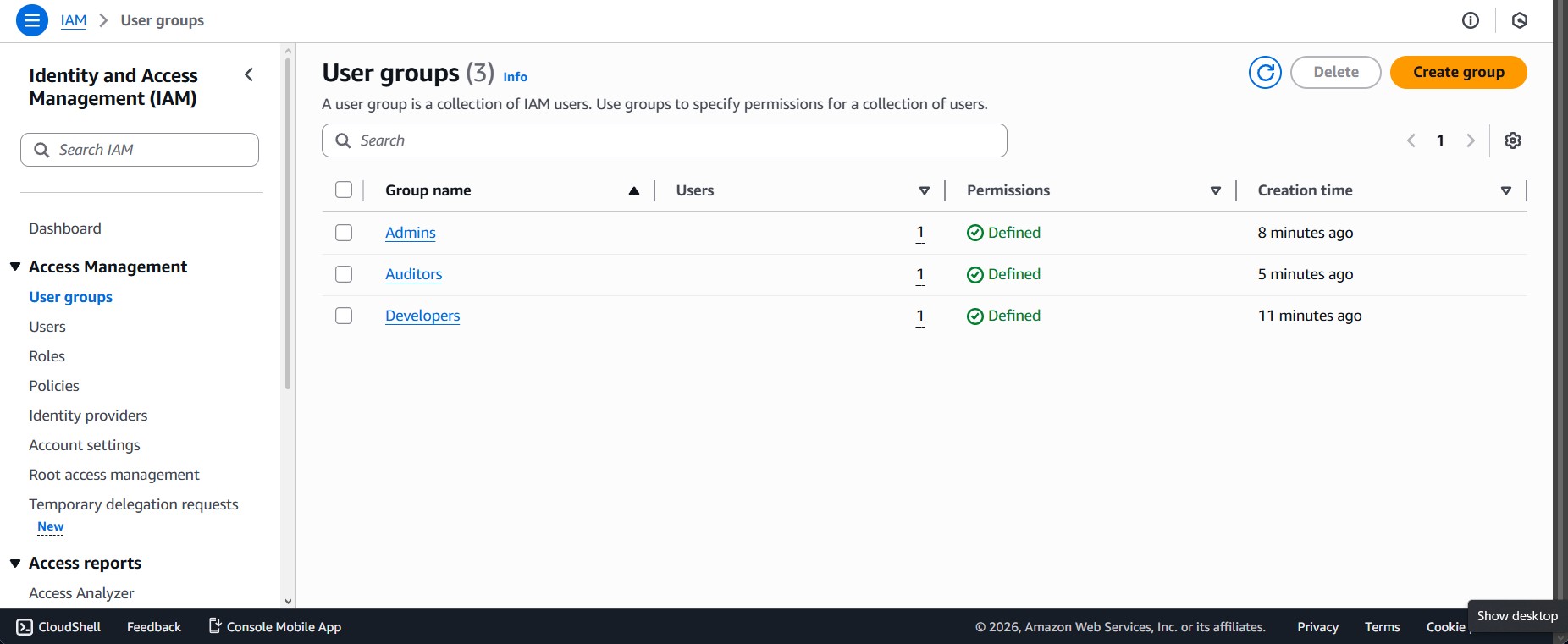
Developers → AmazonS3FullAccess + AmazonEC2ReadOnlyAccess
Admins → AdministratorAccess
Auditors → ReadOnlyAccess - Assign Users to Groups
- Create Sample Resources
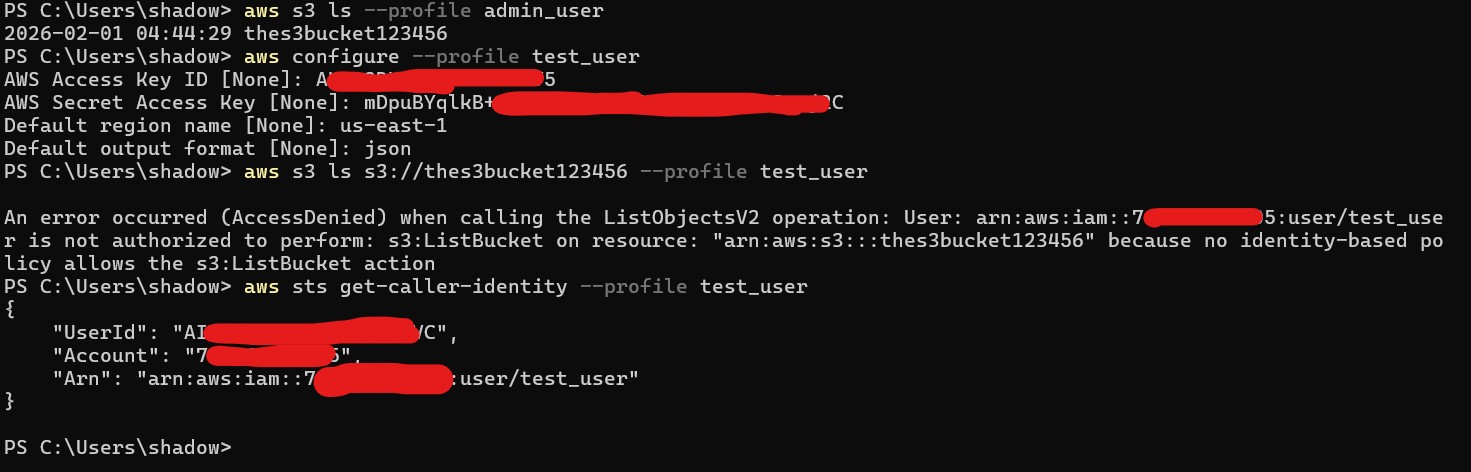
S3 bucket for testing. - Verify Permissions
Tested allowed/forbidden actions via Console and CLI.
Observations
- audit_user initially blocked on S3 due to wrong policy — fixed by correct group attachment.
- Managed policies vary widely; wrong choice blocks services silently.
Lessons Learned
- Always verify policy scope before assuming access.
- Groups > user-level permissions for scalability.
- Explicit denies override allows.
- MFA is essential.
- Policy Simulator is invaluable for validation.
"This lab mirrors real-world IAM evolution: from static user permissions → group-based access → temporary, role-based trust with enforced expiration."
Auditor Access Model
- Internal Auditors: Standing read-only via MFA & group ReadOnlyAccess.
- External Auditors: Temporary STS credentials via AuditReadOnlyRole with TTL auto-expiration — no long-lived secrets.
Optional Security Enhancements
- Enforce MFA for all users
- Reduce external auditor TTL (15–60 min)
- Restrict AssumeRole by time/IP
- Monitor sts:AssumeRole via CloudTrail
Outcome / Results
Users and groups created successfully • Managed policies applied correctly • MFA enforced • Least privilege verified • Risks exposed and mitigated.
Next Steps / Improvements
- Automate with CloudFormation / Terraform
- Use granular custom policies
- Integrate CloudTrail monitoring
Evidence / Artifacts
Screenshots of IAM Console showing users and groups
CLI output of policy attachment and verification
Optional Policy Simulator screenshots
References
AWS IAM Best Practices https://docs.aws.amazon.com/IAM/latest/UserGuide/best-practices.html
AWS STS Temporary Credentials https://docs.aws.amazon.com/IAM/latest/UserGuide/id_credentials_temp.html
CIS AWS Foundations Benchmark https://www.cisecurity.org/benchmark/amazon_web_services/
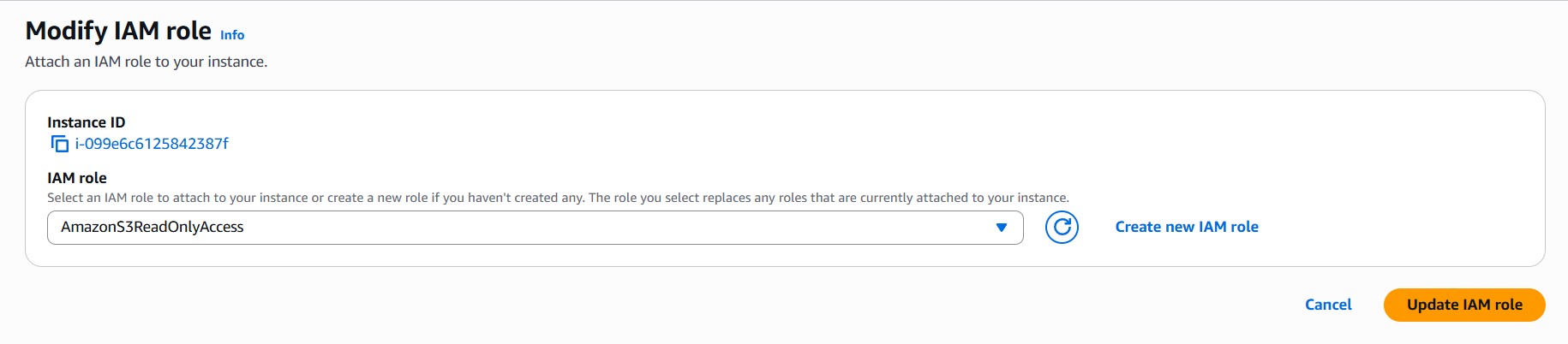
Screenshots from the Lab